Why Trigger Settings Matter
Every photon detected by a single-photon detector is converted into an electrical pulse. Before this pulse can be time tagged, the device must determine the exact pulse begin. This is defined by the trigger setting.
If the trigger level is set too low, electronic noise or small fluctuations can be registered as photon events. If it is set too high, real detector pulses may no longer be detected reliably. In demanding timing applications, particularly when working with SNSPDs, where very low timing jitter can be achieved, even small changes in the trigger setting can influence the measured timing distribution.
Finding a suitable trigger setting is therefore a balance: it should detect real photon events reliably, reject noise, and preserve the best possible timing precision. This matters not only for high-end timing experiments, but also for established applications such as TRPL, FLIM, FCS, and other measurements where stable and accurate photon timing is essential.
Level Trigger and CFD
A time tagging device needs a clear electronic timing point for every incoming pulse. With a level trigger, this point is defined by a voltage threshold: the pulse is registered when it crosses the selected Trigger Level. This approach is simple and effective for signals with well-defined amplitudes and shapes, but the chosen level still matters. If it is too close to the noise floor, unwanted events may be counted. If it is too far from the pulse baseline, smaller detector pulses may be missed.
For detector signals with varying pulse amplitudes, a constant fraction discriminator (CFD) can improve timing stability. In classical CFD operation, the timing signal is derived from a constant fraction of the pulse height, making the result less dependent on the pulse amplitude. PicoQuant’s modern CFDs work somewhat differently: they detect the vertex of each pulse and trigger on that point, which is effectively similar to applying a constant fraction of 1. In practice, the goal is the same: obtaining timing information that is largely independent of the input pulse amplitude.
In CFD mode, two settings have to be distinguished. The Discriminator Level defines the lower pulse-amplitude limit and helps suppress random background or noise pulses. The Zero Cross Level defines the point at which the CFD timing signal is registered. Together, these settings determine which pulses are accepted and where their timing point is placed. Therefore, both level trigger and CFD settings benefit from careful optimization: one mainly defines where a pulse crosses a threshold, while the other separates pulse acceptance from timing-point definition.
Count-Rate-Based Trigger Optimization
UniHarp’s Autotune as Guided First Step
The fastest way to approach trigger optimization is to let UniHarp evaluate the incoming signal directly. Its Autotune function provides a guided first step for finding suitable input settings without manually changing levels and observing the count rate after each adjustment.
Autotune automatically tunes the relevant Trigger Level setting of the Sync Input Channel based on live signal conditions. In level trigger mode, this means optimizing the Trigger Level. In CFD mode, it means optimizing the discriminator level, while the zero cross level remains a separate timing-related CFD parameter as introduced above. In simple terms, Autotune searches for the setting that produces a count rate maximum while avoiding unnecessary noise contributions.
The feature adapts the relevant measurement method settings, but it does not change unrelated parameters such as dead time. Autotune should therefore be understood as a practical starting point: it helps establish a stable operating region, after which a finetuning can be performed if needed.
Count-Rate-Based Scan Using snAPI
The count-rate scan in snAPI follows the same general idea, but makes the process visible and reproducible. Instead of using the guided UniHarp function, a Python script scans through different values and records the resulting count rate.
Depending on the selected trigger mode, the scanned value is applied either as the trigger level in level trigger mode or as the discriminator level in CFD mode. The zero cross level is not part of this count-rate scan. This makes the snAPI approach useful when the optimization should be scripted, automated, documented, or adapted to a specific experimental workflow.
Multi-Parameter Trigger Optimization
For the most demanding timing applications, a count-rate maximum alone is not always enough to identify the best trigger setting. This is especially relevant when using detectors with very low timing jitter, such as SNSPDs, where small changes in the trigger setting can affect the measured timing distribution. In such cases, the optimization should also consider how narrow, stable, and well-defined the timing peak is.
This more detailed analysis can be performed with snAPI. The script scans through different trigger settings and records a histogram for each step, plotted as 2D histogram. From these histograms, it calculates several parameters: the count rate, the FWHM, the RMS deviation, and the center of gravity. Together, these values provide a more complete picture of the measurement quality than the count rate alone.

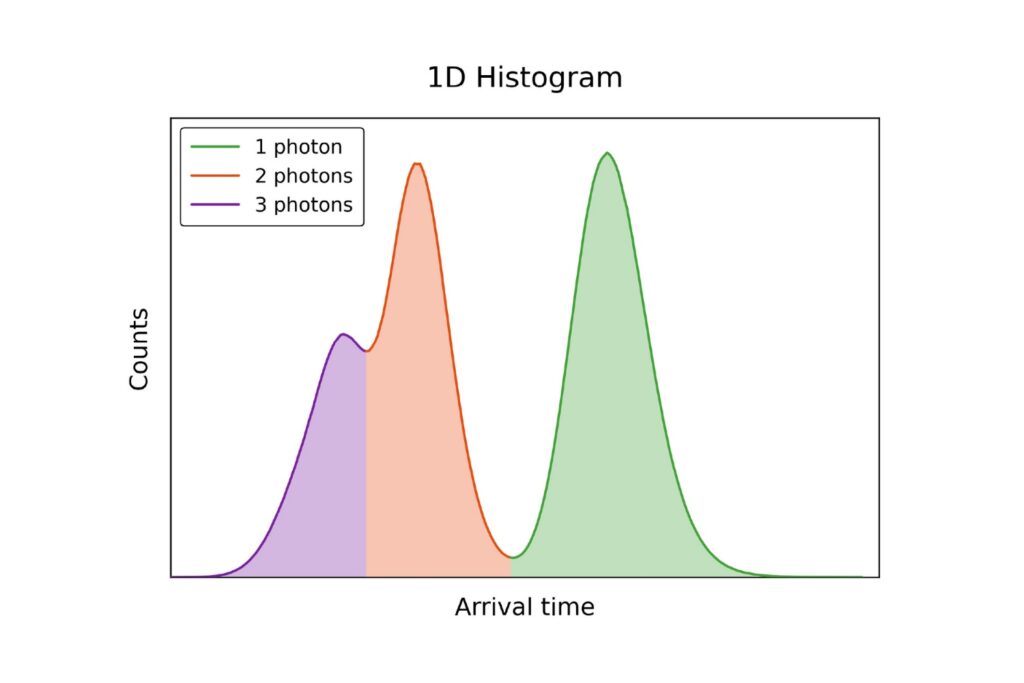
The FWHM describes the width of the timing peak at half of its maximum height. A smaller FWHM usually indicates a sharper timing response. The RMS deviation provides another measure of how broadly the events are distributed around the peak center. The center of gravity shows whether the timing peak shifts when the trigger setting changes.
The goal is therefore not simply to find the setting with the highest number of counts. Instead, the best operating point is usually found where the count rate remains stable, the FWHM is low, and the timing peak does not shift or broaden unnecessarily. This makes the multi-parameter scan particularly useful when timing precision is the main performance criterion.
Recommended Workflow
Start with UniHarp’s Autotune to quickly find a suitable trigger or discriminator level from the live signal. This is the most convenient first step for routine setup.
Users who prefer scripted workflows can apply the same count-rate-based principle with snAPI, scanning the trigger level in level trigger mode or the discriminator level in CFD mode.
For timing-critical measurements, use the multi-parameter snAPI scan to refine the setting based on count rate, FWHM, RMS deviation, and center of gravity.
Conclusion
Optimizing trigger settings is a small setup step with a direct impact on timing quality. UniHarp offers a fast and guided way to find suitable settings from the live signal, while snAPI provides the flexibility to perform the same optimization in a scripted workflow.
For routine measurements, a count-rate-based approach is often sufficient. For timing-critical applications, especially with low-jitter detectors such as SNSPDs, additional parameters such as FWHM, center of gravity, and RMS deviation help identify the most stable operating point. Together, UniHarp and snAPI support a practical path from quick setup to detailed timing optimization.
Want to optimize photon timing performance in your setup? Contact us to discuss suitable workflows with UniHarp and snAPI for your detector and timing application.